
How to Add Friends So You See More Posts
The more friends you have on Main Court, the more active and personalized your Social feed becomes. When you’re friends with other players, you’ll see their event posts, milestone achievements, and any content they’re tagged in. You can add friends directly through Groups or through player profiles in the Network.
Step 1: Access Groups or Network
- Press the Search icon in the bottom navigation bar
- From there, tap into Groups or Network
- You can also access Groups from the Home Page by selecting the Groups icon in the main grid
Step 2: Add friends from a group you’re in
If you’re part of a group on Main Court, you can add other group members as friends
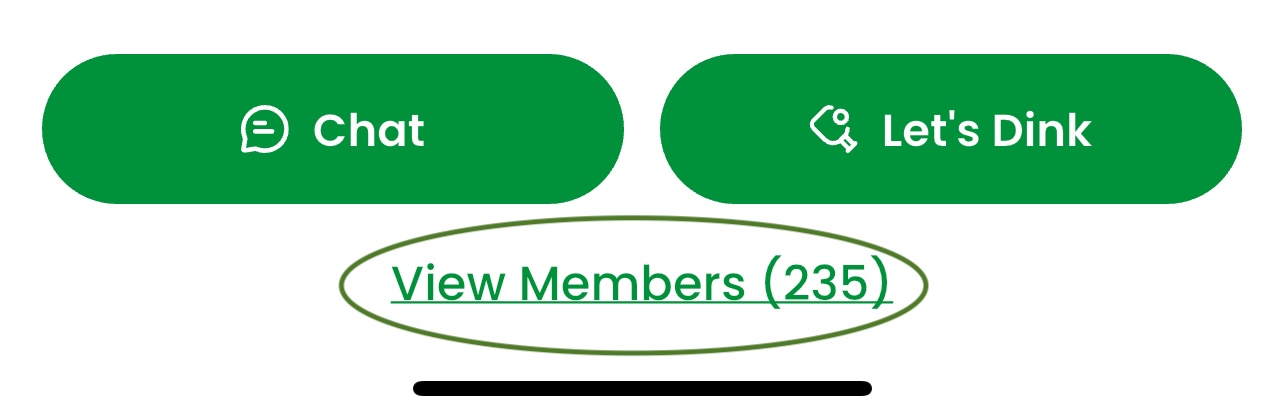
- Tap into the group and press View Members
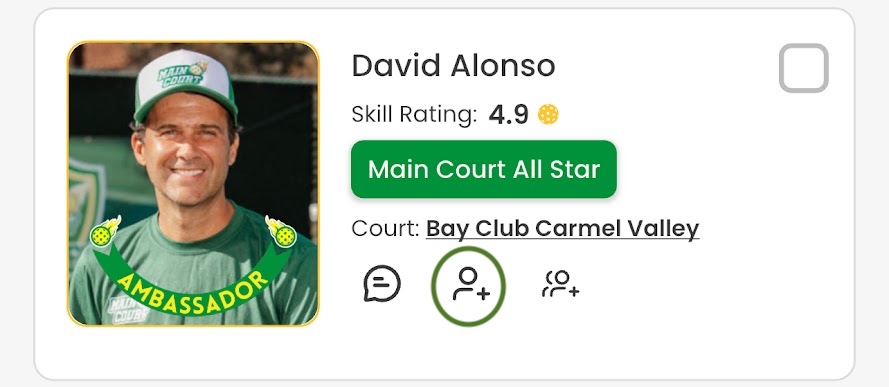
- Tap the Add Friend icon next to any member you’re not already connected with
- This icon looks like a silhouette with a plus sign
Step 3: Add friends from a player’s profile
- In the Network section, search for the player you want to connect with
- Press the Add Friend icon to send a friend request
Once your friend request is accepted, you’ll begin seeing that player’s eligible posts in your Social feed. The more friends you add, the more you’ll stay connected to the players and events that matter most.